
PRACTICAL SOURCING TOOL · EXCEL
Wig Shade & Color Approval Record
Identify a physical shade master and document placement and approval.
When to use: Before bulk production or a revised custom-color repeat order.
How to use this tool
Physical Reference > Screenshot Only. Record the actual sample or color ring, root, mid-length, ends and highlight, balayage or piano placement under the lighting used for review.
- Download the blank Excel file and record your project inputs.
- Review uncertain fields with the supplier and identify physical references or evidence.
- Prepare a versioned specification, then attach the completed tool where the inquiry form supports it or paste the key rows into your RFQ.
Map hairline and parting, crown, sides and nape as well as root, mid-length and ends. Review the finished wig, not only a loose strand, in a consistent orientation and lighting setup. Record any reference change before a repeat order.
Tool preview: fields in the Excel file
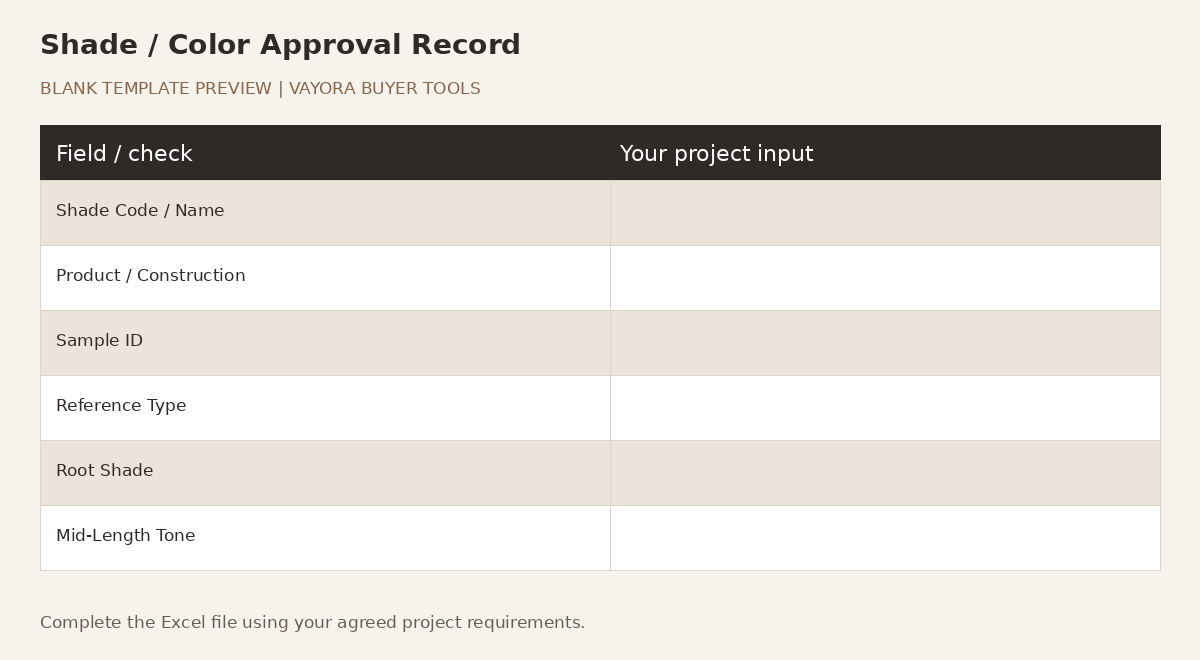
| Field | Approved Reference / Input | Notes |
|---|---|---|
| Shade Code / Name | — | — |
| Product / Construction | — | — |
| Sample ID | — | — |
| Reference Type | — | Physical Sample / Color Ring / Buyer Target; identify the physical master when available. |
| Root Shade | — | — |
| Mid-Length Tone | — | — |
| End Tone | — | — |
| Highlight / Balayage / Piano Placement | — | — |
| Lighting Condition | — | — |
| Approved By | — | — |
| Approval Date | — | — |
| Approval | — | Approved / Approved with Revision / Revise & Resample / Rejected |
| Revision Notes | — | — |
| Bulk Reference Status | — | — |
Compare the recorded shade reference with the physical color-reference and matching guidance before approving a color for production.
Send your prepared brief to VAYORA
Use the current Request a Quote form to share your requirements. If file attachment is unavailable, paste the key fields into the message and mention the tool and revision. VAYORA can review the next quotation or sampling step.